
ICT, Security
Cyber security month: always give your files a sensitivity label
Sending mails, editing texts, sharing files: you work every day with all kinds of information and data. Did you know that one small action can make an enormous difference in keeping information secure and preventing a data leak? To protect our data and information, the university makes use of sensitivity labels in Microsoft 365 documents and e-mails. These are a kind of label that shows how sensitive or confidential particular information is, and how you should handle a file. May it, for example, be published online, or shared by mail with other people? A label also makes sure that sensitive information is secured and cannot simply be shared, downloaded or copied.
What labels are there?
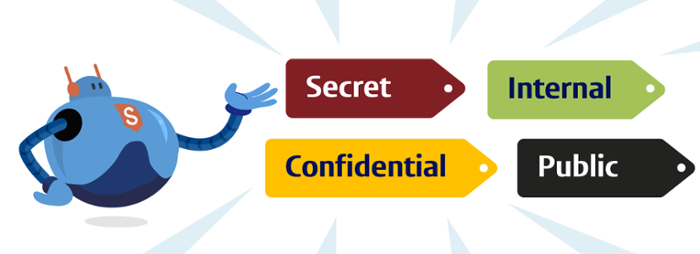
There are four different kinds of sensitivity labels: public, internal, confidential and secret. You can see in this flowchart which label should be used and when. A few examples are given below:
- Public: published research, a job vacancy text, information about educational programmes
- Internal: draft analysis documents, work agreements, thesis assessments
- Confidential: research proposals, traceable research data, employment contracts, GROW reports, invoices, grade lists, assessment material
- Secret: dual-use information, notes by a student psychologist, criminal justice information, strategic decisions before they are made public
How do you add a label?
A sensitivity label (often ‘internal’) is a standard addition for all Microsoft 365 files. If you want to change a sensitivity label in Word, Excel or PowerPoint, go via Start to ‘Sensitivity’ in the ribbon above. You can then select one of the four labels. For Outlook the ‘Sensitivity’ button is to the right in the message window.
Why are labels important?
Sensitivity labels help prevent sensitive information accidentally reaching the wrong place or being shared with unauthorised people. If data is not clearly labelled, it is also not possible to use AI tools safely and responsibly within the university. Using sensitivity labels also plays a part in adhering to privacy laws and regulations
Any questions? Come to one of the online knowledge sessions
You may have some questions about the sensitivity labels. If so, at the end of this month four online sessions will be held where the awareness officer will explain the labels in just 15 minutes, give some examples and show you how you can add labels to your data yourself. You can sign up for the sessions here.
- Monday 12 October 11:00-11:15
- Thursday 15 October 14:00-14:15
- Tuesday 20 October 10:00-10:15
- Tuesday 27 October: 14:00-14:15