Submitting grade lists
As a teacher you are expected to provide and sign the results obtained by your students. Please follow the instructions below for smooth processing by the Science Student Administration:
The Science Student Administration provides you with a list of grades via e-mail 4 days prior the exam. This list containts details of students who have registered in Usis for the mentioned exam in accordance with the registration protocol.
General instructions:
- Fill in all results obtained in the grade list you received, also an insufficient result of the (re)exam or extra resit.
- Round the grades to whole digits (0) or half digits (0.5). Results of 5.5 can only be registered as a whole digit to 5.0 (unsatisfactory) or 6.0 (satisfactory).
- Add a digital signature to the Excel list and PDF file.
- Return the Excel list and PDF file within 15 working days by email (by a reply all) to the e-mailadress mentioned. Keep the same subject from the original mail.
In case of an exception, follow the instructions below:
Students that are not on the transcript
In the 2025-2026 academic year, a pilot will be running in which non-registered students will be allowed to participate in the exam subject to reservation. You will therefore not find these students on the transcript. Follow the instructions below to keep the administration running smoothly:
-
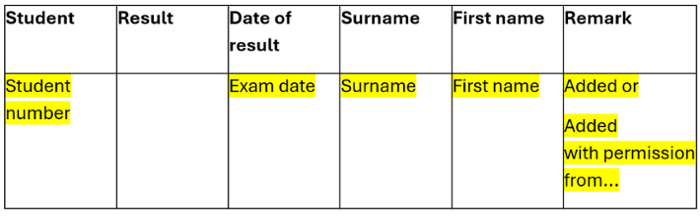
Add these student(s) with student number and name at the top of the grades list with the result obtained and mark them in yellow.
-
Put "added" in the comment.
-
Scan the forms 'Declaration of conditional participation' ('Onder voorbehoudsformulier') that have been filled out by the students you added to the grade list, and add these scans as an attachment to the email to the Science Student Administration when you send in the grades list.
Please note: For students who are not listed on the transcript and have been added by the lecturer, it will be verified whether the registration for the examination took place in accordance with the guidelines of Leiden University's registration protocol. Only after checking the given permission can the Science Student Administration process the result in uSis. Without this permission, they are not allowed to process the result.
Students that did not participate
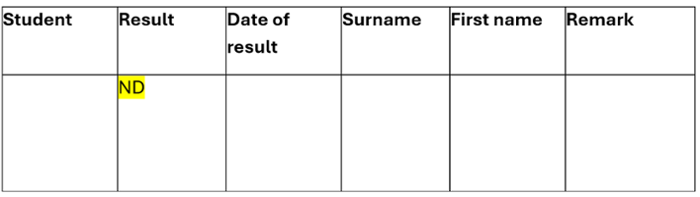
If the student does not de-register for an exam or resit within the set period and does not take the exam:
-
State ND on the list of grades with the result as seen below:
Results are incomplete
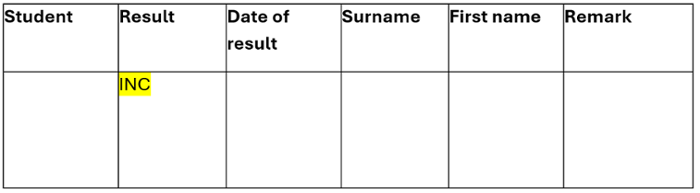
If one or more parts of an educational unit have not been completed (sufficiently):
-
Mention INC. on the list of grades with the result as seen below:
Referred to Board of Examiners
If there is a student whose approval depends on the result and has been referred to the Board of Examiners:
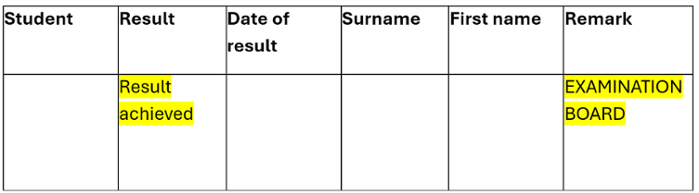
- Please mention on the list of grades in the comment EXAMINATION BOARD
- Do mention the result achieved
As soon as the result has been released by the Examination Board, we can only process this result
Delayed result
If there is a result achieved:
- Please indicate this clearly in the accompanying email
- Use the original transcript of marks of the exam or resit to which the result relates (do not create your own document name)
- Do not change the header document
- Adjust the signing date
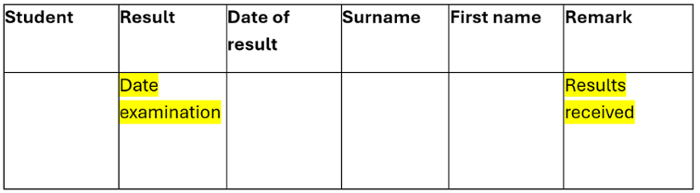
- Remove all students and only mention the student(s) with the result in the transcript and clearly state in the comments: RESULT ACHIEVED.
Revision of previously achieved results
If the result has been revised or a mistake has been made during the assessment of the student or when drawing up the transcript:
- Please indicate this clearly in the accompanying email
- Use the original transcript of marks of the (re)examination to which the change relates (do not create your own document name)
- Do not change the header document
- Adjust the signing date
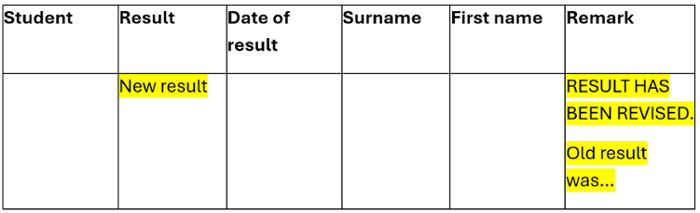
- Remove all students and only mention the student(s) with the changes to the achieved result in the gradebook and clearly state in the comments: RESULT HAS BEEN REVISED
Extra resit outside regular resits
Please note: to take an extra resit, there must be a decision from the Examination Board in advance for this extra resit. Without a decision from the Examination Board, we are not allowed to process the result.
If you are going to take an extra resit for a specific student (group) outside the regular (re)exam, please indicate this clearly in the accompanying email.
- You will not receive an extra transcript for this
- Use the original transcript of the regular resit and only adjust the parts of the header marked in green (leave the study guide number and description of the study part!):
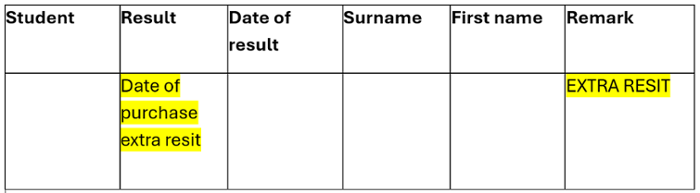
- Remove the numbers in the study activity and clearly state EXTRA RESIT.
- Adjust the signing date
- Remove all students and only mention the student(s) with the result in the transcript and clearly state in the comments: EXTRA RETAKE
If the date of the (re)examination differs from the date stated on the transcript, please indicate this clearly in the accompanying email and on the original transcript so that we can adjust it in uSis.